
Game Introduction
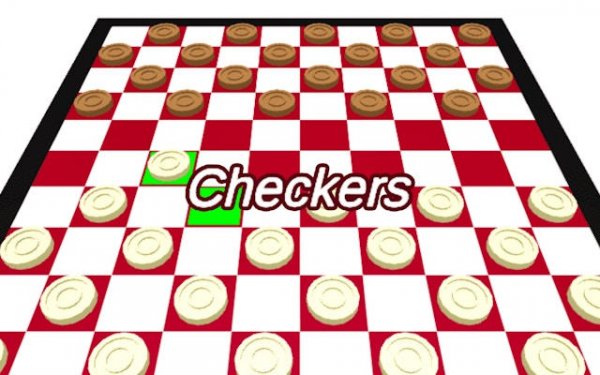
Classic Checkers Board Game is a digital version of the traditional two-player strategy game. The core objective is to capture all of the opponent's pieces by jumping over them diagonally on dark squares. This game recreates the authentic board game experience, focusing on pure strategy without distractions. Each move requires careful planning and anticipation. The game board maintains the classic layout, and no downloads are needed to start a match. The included source code allows developers to study the game mechanics or build custom opponents. This game is ideal for those who enjoy thoughtful, turn-based competition.
How to Play
Players take turns moving their pieces one square diagonally forward on dark squares. To capture an opponent piece, jump over it to an empty square directly beyond. Multiple jumps in one turn are allowed if the path remains open. The game ends when one player captures all opposing pieces. This simple rule set creates deep strategic possibilities. Plan your moves to set up captures while protecting your own pieces. The responsive interface makes each turn smooth and clear.
Game Features
Authentic two-player gameplay with no computer opponent. Clear win condition based on capturing all pieces. Full source code included for study and modification. Optimized for web play with no installation required. Smooth and responsive controls for each move.
Tips for Success
Focus on controlling the center of the board to limit your opponent's movement. Plan ahead by anticipating captures and setting up traps. Protect your back row pieces to keep them safe from being captured. Practice multiple jumps to maximize captures in a single turn. Study common checkers patterns to improve your strategy over time.





Comments
0 comments