
Game Introduction
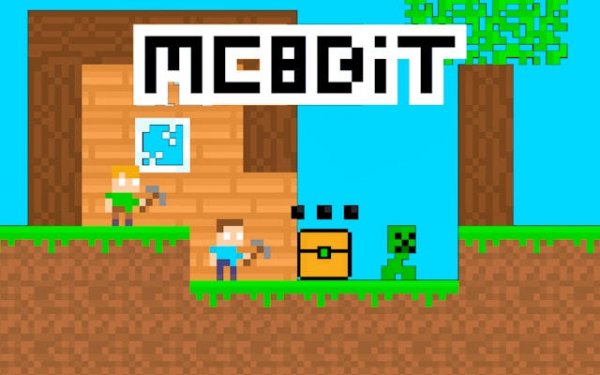
Pixel Platform Quest Adventure invites players to a charming pixel world inspired by classic 8-bit adventures. Players join two friendly characters as they leave their cozy home to explore whimsical forest landscapes, jumping and running through vibrant levels. The game focuses on lighthearted platforming action, replacing complex crafting with fast-paced exploration. Players of all ages can enjoy collecting scattered obsidian stones and reaching the activation portal to progress through each stage. Each level is designed to be family-friendly, with cheerful environments and gentle challenges that reward careful movement and observation. The core objective is to collect all required stones in a level to activate the portal and advance to the next area. The game emphasizes thorough exploration without pressure, making it suitable for casual players and younger audiences. Its pixel art style evokes nostalgia while remaining accessible to new players.
How to Play
Controls are simple and responsive across all devices. On desktop, players typically use keyboard keys to move and jump. On mobile or tablet, on-screen buttons allow for easy control. Players take their time to explore every area, as collecting all obsidian stones in a level is required to activate the portal and advance. The game encourages thorough exploration without time pressure, making it suitable for casual players and younger audiences. The platforming mechanics are designed to be engaging but not overly difficult, allowing players to focus on discovery and enjoyment rather than precise timing.
Game Features
Key features include retro 8-bit pixel art that evokes nostalgia, smooth platforming mechanics that are engaging but not overly difficult, and full support for both desktop and mobile play. Hidden collectibles and cheerful level designs reward players who explore carefully. The game also supports two-player mode, allowing friends or family to play together. Each level presents a new environment to discover, with gentle challenges that encourage observation and movement. The game is designed to be accessible to players of all skill levels, with no complex controls or steep learning curves.
Tips for Success
To succeed, take your time exploring each level to find all hidden obsidian stones. Practice jumping and running to master the platforming sections. Use the two-player mode to collaborate with a friend, making it easier to spot collectibles. Stay patient and enjoy the cheerful environments—there is no rush to finish quickly. Observing the environment carefully can reveal hidden paths and collectibles.




Comments
0 comments