

Open-Ended Urban Exploration
City Secrets Navigator places you in a detailed city with no forced path. The game rewards curiosity and observation: alleys, rooftops, and plazas often contain something worth finding. You set your own goals, whether that means completing missions or simply enjoying the view from a high vantage point. Progress is driven by your willingness to look around rather than follow a linear story.
Mission-Driven Character Unlocks
Missions are scattered across the city and guide you to different districts. Completing them introduces you to the city's secrets and gradually unlocks new characters. Each character brings a different ability or perspective, which can change how you approach challenges. This system adds variety and keeps the gameplay fresh as you move through the content.
Controls and Browser Accessibility
You control your character with the keyboard and use the mouse to interact with objects and the environment. Switching between unlocked characters is done with a simple key press. Because the game runs directly in a web browser, there is no download or installation required. That makes it easy to jump in for a short session or a longer exploration without any setup.
Visual Design and Atmosphere
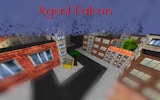
The city is built with realistic graphics and lighting, creating an immersive sense of place. Textures and details are designed to make each area feel distinct, from busy streets to quiet rooftops. The visual quality supports the feeling of being in a living city, which makes exploration more engaging.
Practical Tips for New Players
Focus on completing missions early to unlock more characters. Practice moving efficiently through the city by combining running and climbing to reach high places. Look carefully for hidden items and shortcuts. Trying different characters can reveal new ways to interact with the world. Pay attention to your character's energy or health, and avoid unnecessary risks when exploring dangerous areas.






Comments
0 comments