
Core Creative Workflow
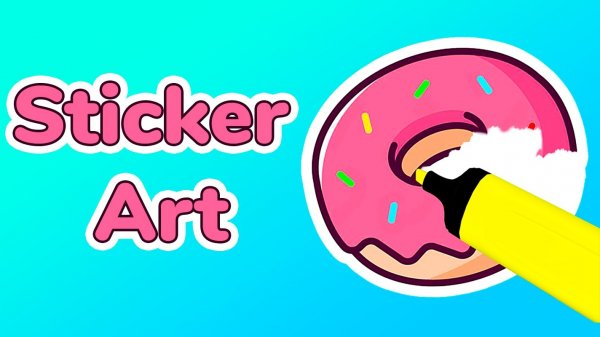
Decal Studio centers on a straightforward design loop. You begin by selecting a base shape from a library of outlines or drawing your own. A color palette offers a wide spectrum of hues, which you apply with a brush tool. Additional layers of patterns or small decorative elements can be added to build complexity. The interface responds to mouse clicks on desktop and taps on mobile devices, making the process intuitive. Each step is reversible, so you can experiment freely without fear of mistakes.
Template Library & Blank Canvas
For those who prefer a starting point, the template library provides pre-made designs that can be customized. These range from simple geometric arrangements to more elaborate motifs. Alternatively, starting from a blank canvas gives complete control over every aspect of the sticker. This dual approach accommodates both quick, guided projects and extended, open-ended sessions. The templates serve as inspiration rather than restrictions, as all elements remain editable.
Color & Pattern Selection
The color picker includes dozens of preset shades, and you can mix custom colors by adjusting sliders. Patterns such as stripes, dots, gradients, and textures can be overlaid on solid fills. This system allows for subtle variations or bold contrasts. The combination of color and pattern choices is large enough to support repeated use without repetition feeling stale. Each design element can be resized, rotated, or repositioned before finalizing.
Saving & Sharing Your Work
Completed stickers are stored in a personal gallery within the application. From there, you can export them as image files or share directly to social media platforms and messaging apps. The sharing feature includes options to add captions or tags. This integration makes it easy to use your creations as digital gifts, profile pictures, or decorative elements in other online spaces. The gallery also allows for revisiting and editing older projects.
Accessibility & Learning Curve
New users are guided by brief tooltips that appear on first interaction with each feature. No prior design experience is required. The controls are consistent across all sections, so once you learn one tool, the others feel familiar. The application runs smoothly in standard web browsers without downloads. This low barrier to entry makes it suitable for casual creative sessions during short breaks or longer, focused projects.








Comments
0 comments