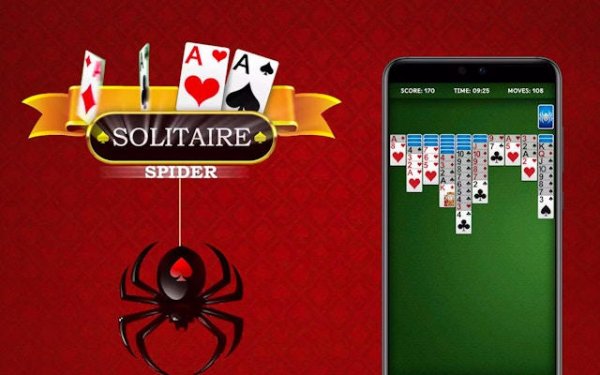
Spider Solitaire Classic

Spider Solitaire Classic

Developer: Warrior Pixel Core
Published: 2025-08-19
Updated: 2026-07-03
Solitaire Card Puzzle

Reviews

Spider Solitaire Classic is a well-designed card puzzle game that offers a satisfying challenge. The drag-and-drop controls are smooth, and the hint and undo features are very helpful. The multiple difficulty levels keep the game fresh, and the statistics tracking is a nice bonus. It's a great choice for casual players looking for a free, no-download solitaire experience.

About This Game

Game Introduction

Spider Solitaire Classic is a free online card puzzle game that brings a classic solitaire variant to your browser. The objective is to clear the tableau by arranging cards in descending order from King to Ace across ten piles. Unlike standard solitaire, you can move cards between piles regardless of suit, but only complete same-suit sequences can be removed. This adds a layer of strategic depth that keeps the game engaging for players of all skill levels. The game is free to play with minimal ads and requires no downloads or registration.

How to Play

To play, start by examining the ten tableau piles. You can move any card or sequence of cards in descending order to another pile, regardless of suit. Focus on building same-suit sequences from King to Ace, as these are the only ones that can be removed from the tableau. When you run out of moves, click the stockpile in the bottom right corner to deal new cards. Use the hint button for guidance and the undo function to backtrack. Plan your moves carefully to avoid blocking future possibilities.

Game Features

Spider Solitaire Classic includes multiple difficulty levels ranging from one suit to four suits, a user-friendly interface with drag-and-drop controls, hint and undo functions, detailed statistics tracking, customizable themes, and an auto-complete option for finishing games. The game is free to play with minimal ads and requires no downloads or registration.

Tips for Success

To improve your game, focus on building complete same-suit sequences before moving cards. Avoid leaving empty columns unless you have a King to place there, as empty spaces are valuable for reorganizing. Use the undo feature to experiment with different moves. Practice regularly to develop your strategy and speed. Pay attention to the order of cards in the stockpile to anticipate future moves.

Compatibility

✅ This game supports:
- Desktop browsers (Chrome, Edge, Safari)
- Mobile browsers (Chrome on Android, Safari on iOS)
❌ Does NOT support: - Internet Explorer - Very old browser versions
👉 Try refreshing or updating your browser

Faq

Can I play Spider Solitaire Classic on mobile devices?
Yes, Spider Solitaire Classic is optimized for mobile browsers. You can play it on smartphones and tablets without downloading any app. Just open the website and start playing.
Is there a time limit for each game?
No, there is no time limit. You can take as long as you need to plan your moves. This makes it suitable for both quick sessions and extended play.
How do I change the difficulty level?
You can select the difficulty level at the start of a new game. Options typically include one suit (easiest), two suits, and four suits (hardest). The more suits, the more challenging the game.
What happens if I get stuck?
If you get stuck, you can use the hint button for a suggestion or the undo button to reverse your last move. You can also restart the game at any time.
Can I track my progress or statistics?
Yes, the game includes a statistics feature that tracks your wins, losses, and other performance metrics. This helps you monitor your improvement over time.
Is Spider Solitaire Classic free to play?
Yes, the game is completely free to play. It includes minimal ads to support the service, but there are no paywalls or subscription fees. No registration is required.


Similar Games